
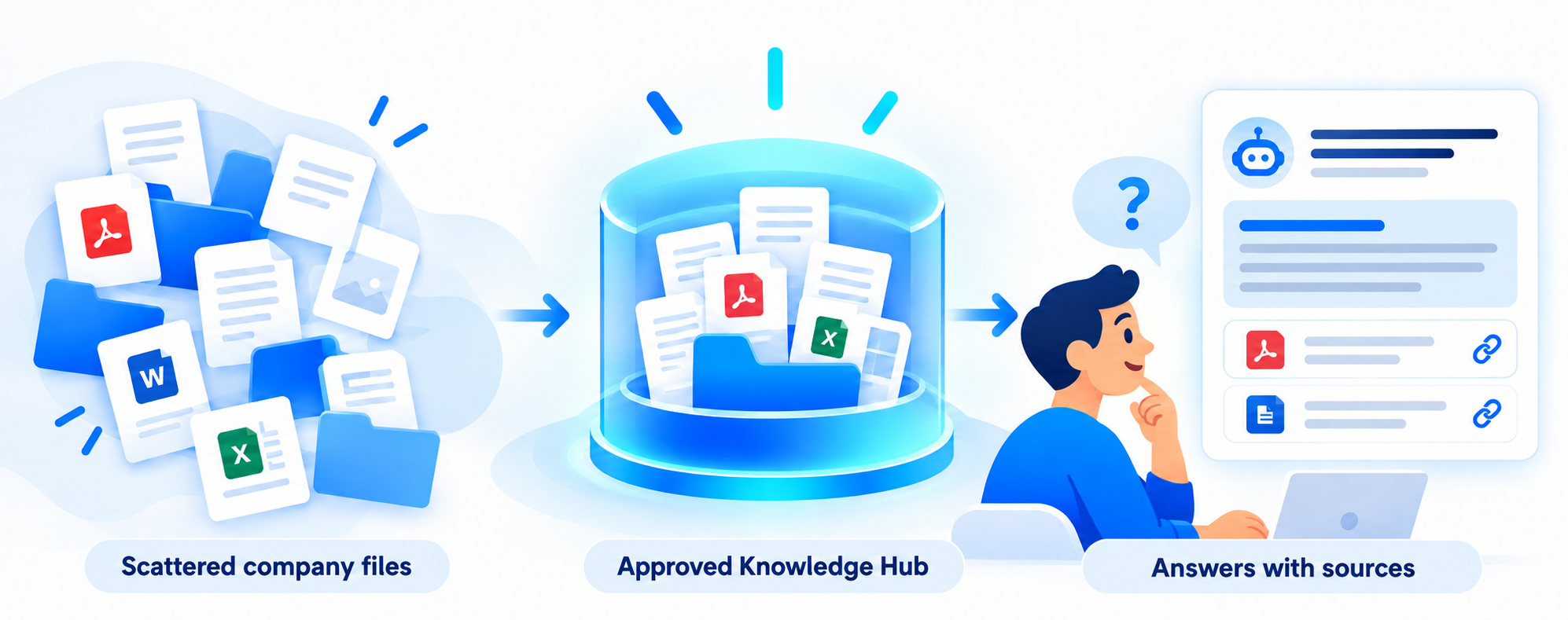
Questions about your company need answers from your company’s files. ChatGPT needs access to the right ones before it can use them.
Ask ChatGPT questions about your company- say, “What’s our vacation policy?” and it can write a polished answer in seconds. The problem is that the answer might describe a typical policy, not your policy.
The same thing happens when an employee asks which form to use for a customer return, how to handle a service exception, or what the latest onboarding process requires. ChatGPT can explain the general topic. It cannot reliably know the details inside your company’s private documents unless you give it authorized access to those details.
That gap matters because a confident answer can sound useful even when it is based on the wrong handbook, an outdated procedure, or no company source at all.
Why questions about your company are harder than they sound
Your company’s knowledge probably lives in more places than anyone can name from memory: shared drives, PDFs, spreadsheets, policy documents, training guides, and the heads of experienced employees. Some files are current. Others have been replaced but still appear in search results. Some information is sensitive and should be available only to certain people.
A general AI model has no automatic view into that collection. It does not know which version your team approved last month, who may see an HR file, or whether a procedure in an old PDF has been retired.
There are ways to give ChatGPT company information. You can upload a file for a specific conversation, or use supported connections to services such as Google Drive when your account and permissions allow it. These can be useful ways to work with your documents. But access alone does not resolve the everyday questions a business has to manage: Which files should count as trusted? Who keeps them current? How should an answer show its source? What should happen when the documents do not contain a clear answer?
Think about an ordinary Tuesday
A new employee asks, “How much notice do I need to request time off?” There are two handbook PDFs in the shared drive. One is last year’s version. A manager also has a separate note about a recent change.
If the assistant sees only the old PDF, it may give an outdated answer. If it sees both versions without a way to tell which one governs, it may blend the two. If it sees nothing, it may make a reasonable sounding guess about common workplace practices.
The employee needs something simpler and safer: the current answer, a link to the approved policy, and a clear admission when the available documents do not settle the question.
What a useful company answer needs
Approved information. Decide which documents the assistant may use. A folder full of everything the business has ever saved is a poor substitute for a deliberate collection of current, trusted material.
The right access. A sales representative should be able to find the sales playbook without gaining access to private personnel records. The assistant’s access must follow the business’s rules for the people using it.
A way to handle changes. Policies, prices, forms, and procedures change. Someone needs to identify new and revised documents, retire obsolete versions, and check that the assistant reflects approved updates.
Sources employees can inspect. When an answer points to the policy or guide it used, the employee can verify a detail or read the surrounding context. If the approved material does not support an answer, the assistant should say so and guide the person to the right human owner.
That is the role of a Knowledge Hub: an organized, maintained source of approved company information that an AI knowledge assistant can use when employees ask questions.
Where BrightDocs fits
BrightDocs helps small and midsize companies turn approved documents into a managed Knowledge Hub and an AI knowledge assistant. We work with the business to organize what belongs in the Hub, make the information usable, and keep it up to date as documents change. Employees can ask questions in plain language and receive answers grounded in the company’s sources, with citations they can follow.
The goal is practical. Someone needs the current onboarding step, a product detail, or the policy that applies to a customer issue. Instead of hunting through folders or interrupting the same coworker again, they can ask and check the source behind the answer.
ChatGPT remains a powerful general tool. It can also work with company files through uploads and supported connections. A dependable company assistant adds the ongoing discipline around which information is approved, who can access it, how updates are handled, and when the evidence is too thin to answer.
If questions about your company keep sending employees into old folders, start with a small set of current, approved files and the questions they ask most often. That will show you what a useful company assistant should be able to answer – and where your documents need attention.