
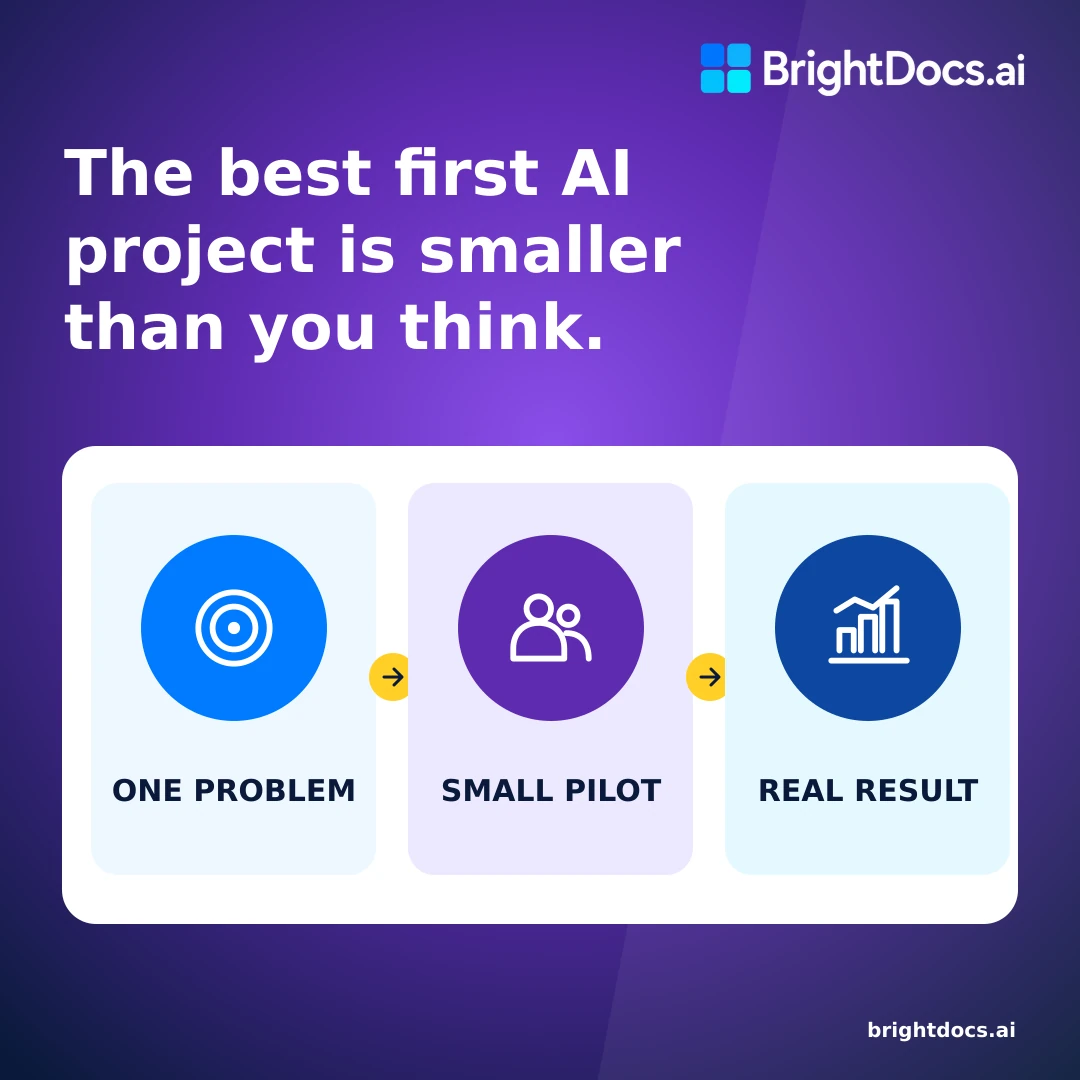
Most small businesses don’t need a sweeping AI strategy. They need one useful win.
That usually means fixing a task employees already deal with every week: searching for the right procedure, answering the same policy question, rebuilding a routine summary, or drafting another version of a familiar email.
The mistake is starting with software. Owners sit through product demos, compare long feature lists, and hear that AI agents can run entire departments. Before long, a straightforward business problem has turned into a technology initiative with no clear finish line.
Start with the work instead.
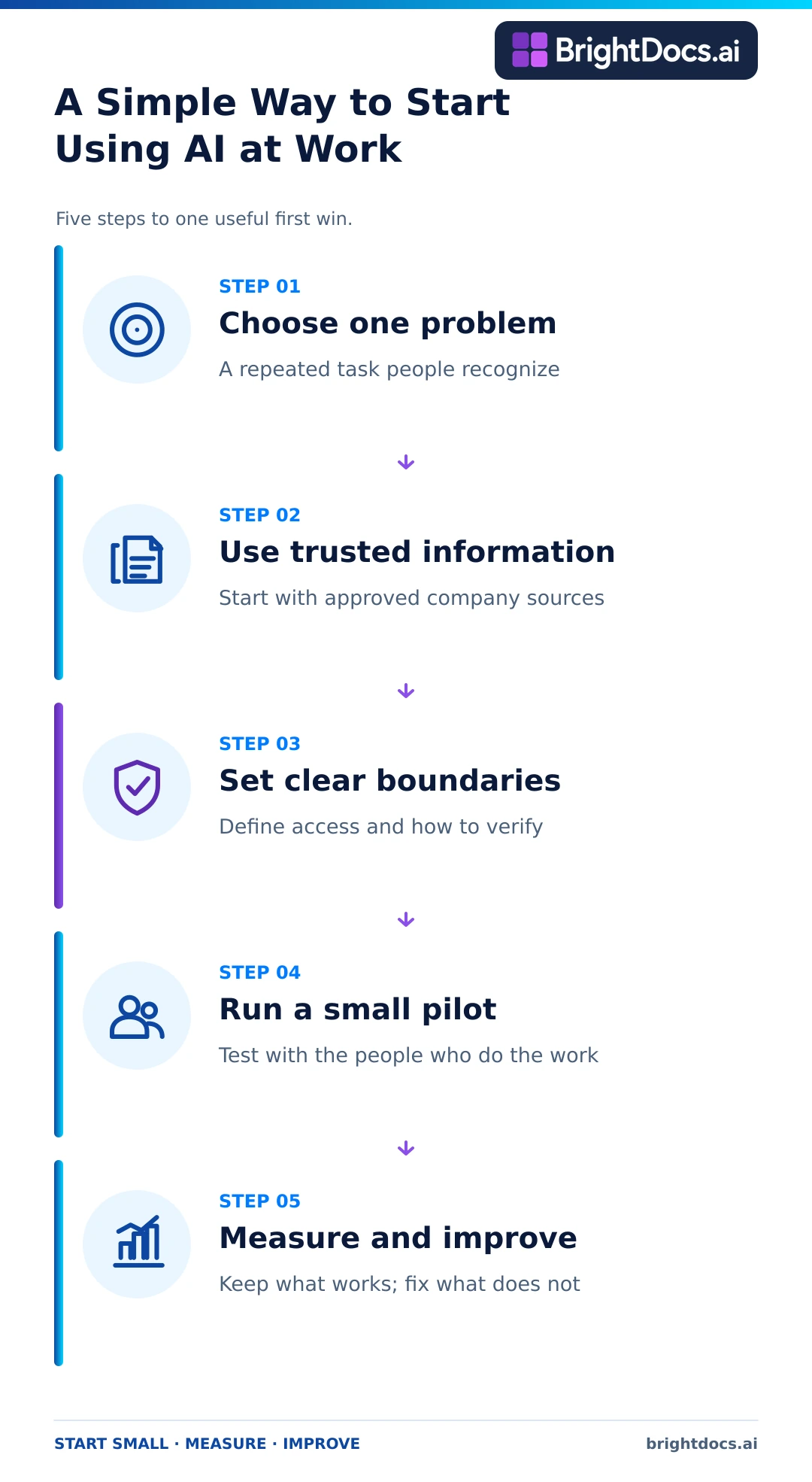
Choose one recurring problem. Give the AI only the information it needs. Test it with a handful of people who understand the job. Then measure whether anything actually improved.
That’s enough for a first project. You don’t need an AI department or a company-wide rollout to learn whether AI can help your business.
The short answer
Choose a task that happens often, takes enough time to matter, and relies on information your business already trusts. Make sure a person can check the result.
Good first projects are usually ordinary. An AI assistant might answer employee questions from an approved handbook, summarize a standard intake form, draft a response from an established template, or help an operations employee find the current procedure buried across several folders.
Your first project doesn’t need to prove everything AI can do. It needs to solve one real problem safely and consistently enough that employees want to keep using it.
Why small businesses make AI harder than it needs to be
AI projects get complicated when the first question is, “Which platform should we buy?”
That’s backwards. The first question is, “What job needs to get easier?”
Without that answer, the project grows quickly. One department wants help drafting emails. Another wants automated reports. Someone raises a security concern after employees have already started testing public tools. The team keeps adding possibilities, but nobody can explain what a successful first result would look like.
Small businesses can avoid this. Decisions don’t have to pass through six committees, and owners are usually close enough to the work to see where people lose time. Use that advantage. Pick a narrow problem and learn from it before expanding.
A good first project usually has these qualities:
- Employees already recognize the problem.
- The task happens often enough for an improvement to matter.
- The information it relies on can be identified and approved.
- Someone can check whether the result is correct.
- The business can measure what changed.
If a use case misses several of those marks, save it for later. The most ambitious idea is rarely the best first test.
Start with one recurring problem
Look for repeated work, especially the work that interrupts your most experienced employees.
Ask people what they search for, rewrite, summarize, or explain every week. Pay attention when the same question keeps landing in one person’s inbox. Notice when employees know a document exists but can’t find the current version.
Common examples include:
- HR answering the same policy questions
- An operations team searching several folders for one procedure
- Sales representatives hunting for approved product information
- New employees asking where training materials live
- Managers rebuilding summaries from the same reports
- Staff drafting similar emails from the same source material
None of this sounds futuristic. That’s the point. These jobs are visible, testable, and tied to daily work. “Automate the business” is not a useful first assignment. “Help technicians find the current service procedure” is.
Use a simple filter to choose the first project
Score each possible use case against five questions:
- Frequency: Does this happen every day or every week?
- Time: Does it consume enough employee time to matter?
- Clarity: Can you describe the desired result in one sentence?
- Evidence: Does the business have reliable information the AI can use?
- Risk: Can an employee review the result before it affects a customer, employee, or important decision?
Don’t chase the idea with the biggest theoretical payoff. Choose the one that offers a useful result without creating an unmanageable first test.
Example of a focused first use case
Suppose employees regularly ask an HR manager how paid time off works. The answer is in the employee handbook, but people don’t know where to look or which section applies.
A focused pilot could let employees ask questions about the approved handbook and receive an answer linked to the relevant section. The HR manager would review a test set before launch. Unusual cases would still go to HR.
The job is clear. The source is known. One person owns the process, and the answers can be checked. The project helps with a recurring HR task without pretending to automate the department.
Takeaway: Start with one problem employees can describe and the business can measure.
Use trusted information and set boundaries before testing
An AI tool is only as useful as the information and rules around it. Give it a vague job or unreliable material, and the results will reflect that.
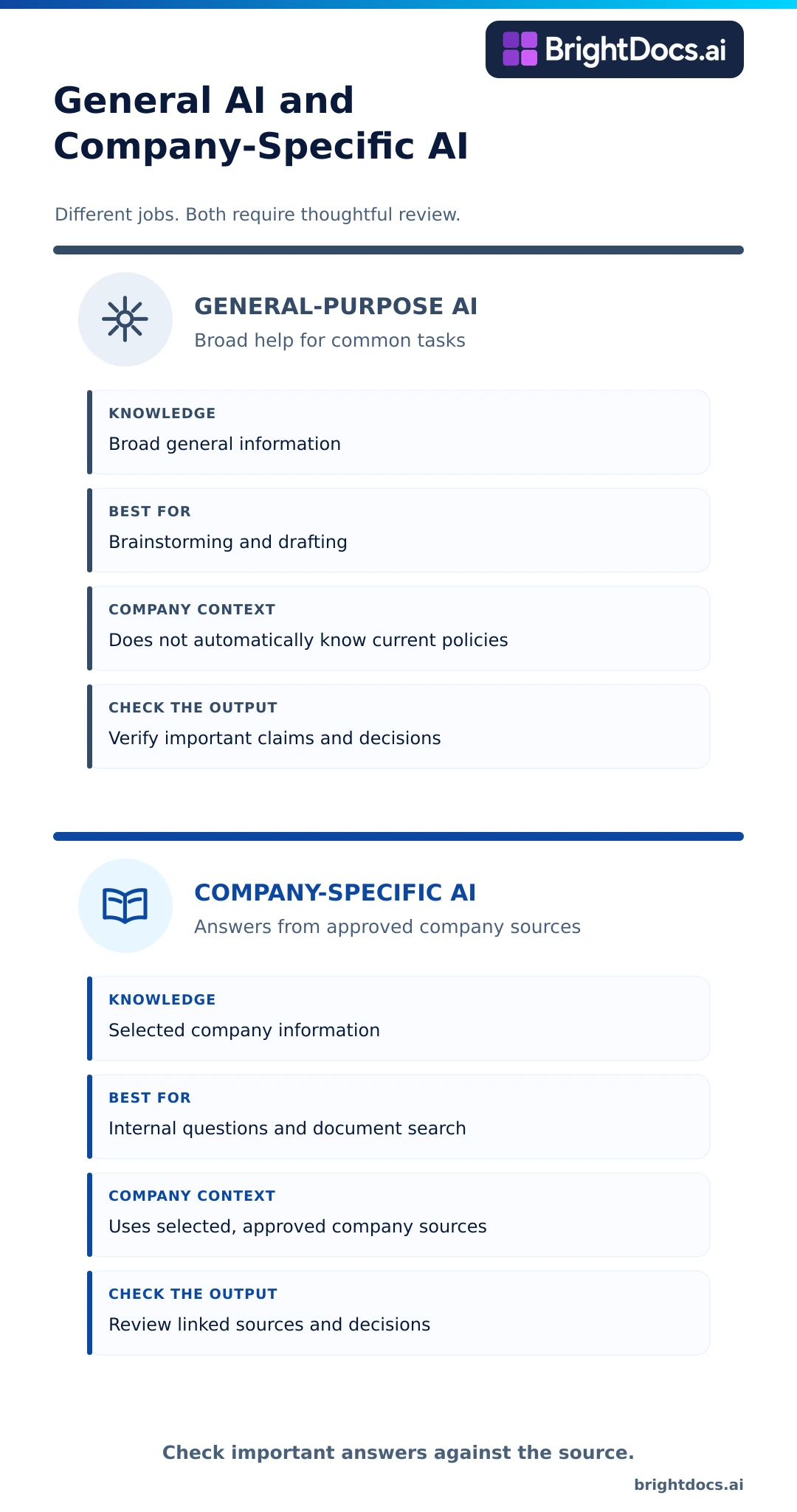
General-purpose AI tools can brainstorm, draft, and summarize. They do not automatically know which of your policies is current, whether last year’s price sheet is still approved, or which procedure employees should follow today. They also make it easy for an employee to paste sensitive information into a tool without stopping to ask where that information goes.
Before the pilot, decide what information the AI may use, who may use it, and how important answers will be checked.
Identify the approved sources
Begin with the smallest useful source set. A policy assistant might need the current employee handbook and four approved HR policies. A service assistant might need the latest manual, troubleshooting guide, and escalation procedure.
Do not upload every file the company owns. A limited source set is easier to review and much easier to maintain.
For each source, confirm:
- The document is current.
- Someone owns the content.
- Old or duplicate versions have been removed.
- The intended users are allowed to see it.
- The document is approved for AI use.
The files don’t need to be perfectly organized. You do need to know which version the system should trust.
Decide what stays out
Keep sensitive or poorly understood information out of the first pilot. That may include personal employee records, customer financial information, legal strategy, health information, passwords, credentials, or documents whose ownership is unclear.
The right boundary depends on the tool, your contracts, the type of information involved, and the laws that apply to your business. Bring in legal, privacy, security, or compliance help when the information calls for it. A small pilot is not a reason to skip normal safeguards.
Require verification where mistakes matter
Generative AI can give a confident answer that is wrong. The National Institute of Standards and Technology calls this risk “confabulation.” NIST also identifies data privacy, information security, and over-reliance among the risks businesses should manage when using generative AI.
Employees should be able to check important answers against an approved source. Decisions involving employment, safety, money, health, legal rights, or customer commitments still need meaningful human review.
This is why company knowledge is a practical place to begin. If an answer links back to the policy, manual, or procedure behind it, the employee can verify the response instead of accepting it on confidence alone.
Seven questions to answer before the pilot
- What exact task will the AI help with?
- Who is responsible for the result?
- Which information is approved for use?
- Which information is prohibited?
- Who may use the system?
- How will employees verify important answers?
- What should happen when the AI doesn’t know?
Let the system say when it cannot find enough support for an answer. Guessing is not a feature.
Takeaway: Set the rules before employees begin testing, while the project is still small enough to control.
Run a small pilot and measure a real result
Once the job and source material are clear, test the workflow with a small group.
Choose people who know the work and will tell you exactly where the system falls short. Include the process owner and a few employees who regularly face the problem. A small, engaged group can reveal more than a broad rollout with little guidance.
Build a realistic test set
Use questions and tasks drawn from actual work. Include common requests, unusual wording, incomplete questions, and situations where the right response is to ask for clarification or send the employee to a person.
For a document-based assistant, test:
- A question with a clear answer in one approved document
- A question that requires information from more than one approved source
- The informal wording employees use on the job
- A question about an outdated or superseded policy
- A question the available documents cannot answer
If you test only the easy questions, the demo will look great and the launch will disappoint people. The useful failures are the ones that show you a missing document, a confusing policy, a bad instruction, or the need for a human handoff.
Measure outcomes that matter to the business
Choose a few measures before the pilot starts. Depending on the project, you might track:
- Time required to complete the task
- Percentage of test questions answered correctly
- Percentage of answers linked to an approved source
- Repeated questions that still reach a manager
- Employee use and satisfaction
- Questions the system could not answer
Do not score the pilot on how impressive the interface looks. Ask whether the work became faster, more consistent, or easier to complete.
Improve the workflow before expanding it
The pilot may expose a problem that has little to do with the AI. Two versions of a policy may be circulating. A procedure may be unclear. An experienced employee may know the answer, but nobody ever wrote it down.
Those findings are valuable. Fix the source material, adjust the workflow, and run the failed tests again. Add another team only when the first group can use the system reliably and someone is responsible for maintaining it.
Takeaway: A small pilot should produce evidence, including evidence about what still needs work.
A practical 30 day plan for introducing AI at work
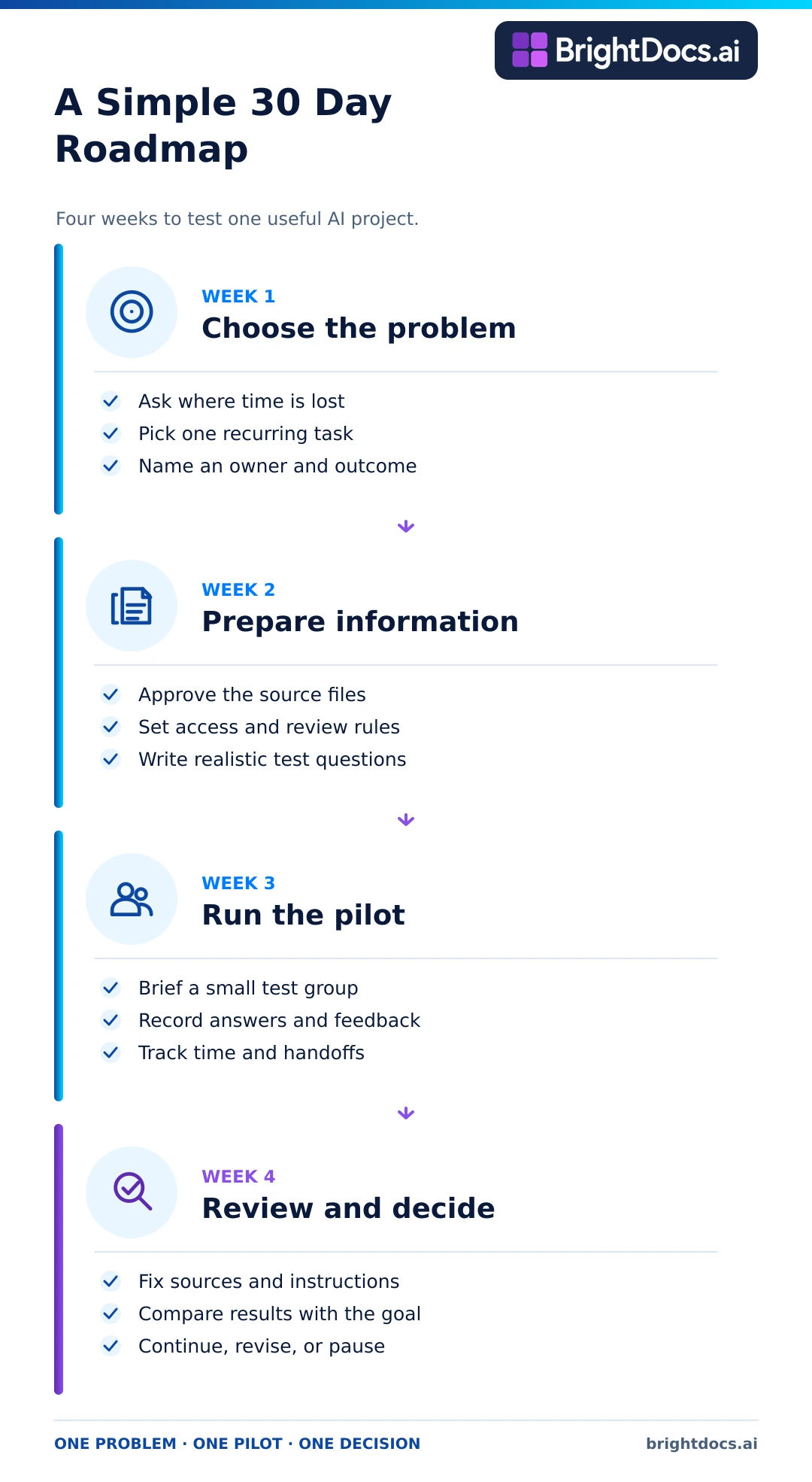
You can learn a great deal in one month without committing the company to a broad rollout.
Week 1 Choose the problem
- Ask employees where they lose time searching, rewriting, summarizing, or answering repeated questions.
- List a few possible use cases.
- Choose one with a clear owner, frequent demand, available information, and manageable risk.
- Write the desired outcome in one sentence.
Example outcome: Help operations employees find the current procedure for common service tasks without searching multiple folders.
Week 2 Prepare the information and rules
- Identify the approved documents or data needed for the use case.
- Remove outdated duplicates and confirm ownership.
- Define who can use the system and what information is excluded.
- Document when a person must review or take over.
- Create ten to twenty realistic test questions or tasks.
Week 3 Run the pilot
- Show the pilot group what the tool is for and where its boundaries are.
- Record results for the agreed test set.
- Ask users to flag wrong, incomplete, unclear, or unsupported output.
- Track time saved and questions that still require a person.
Week 4 Decide what to improve
- Review the results with the process owner.
- Correct documents or instructions that caused failures.
- Decide whether to continue, revise, pause, or expand.
- Assign responsibility for updates, access, and ongoing quality checks.
After 30 days, you should have evidence about one use case. You should not have a mandate to deploy AI everywhere.
Five signs your business is ready to start
Your business is probably ready for a focused pilot when several of these statements are true:
- Employees repeatedly search for the same information.
- Experienced people answer the same internal questions every week.
- Useful knowledge already exists in policies, procedures, manuals, reports, or shared documents.
- One department can name the problem and own the pilot.
- Leadership is willing to set rules, review the results, and improve the source material.
You don’t need pristine documents or a formal AI team. You need a real problem, usable information, and one accountable owner.
Five mistakes that make a first AI project harder
Starting with a tool instead of a problem
A polished demo can make almost any tool look promising. The business still has to define the job, the users, and the result it expects.
Trying to serve every department at once
Each team uses different information and carries different risks. A narrow pilot gives you a cleaner test and a much better chance of learning something useful.
Using unreviewed company information
Old, duplicated, or unauthorized documents produce inconsistent answers. Approve the source set before employees rely on it.
Treating AI output as automatically correct
Important answers need visible sources and human review. Employees should know when to question, verify, or escalate a response.
Expanding without an owner
Someone has to manage access, update the information, review failures, and decide what changes. Without an owner, the pilot becomes one more abandoned tool.
The easiest starting point may already be inside your documents
Most small businesses already own the raw material for a useful AI project. Policies, procedures, manuals, training guides, product information, and internal documentation contain answers employees need every day.
The trouble is getting to them.
Knowledge sits across folders, PDFs, shared drives, and business systems. Employees search manually, interrupt a coworker, or recreate work because finding the right answer takes too long.
An AI knowledge assistant can help when it uses approved company documents, lets employees ask questions in ordinary language, and shows which sources support the answer. A managed Knowledge Hub also prepares the business for future AI workflows because the underlying knowledge has already been identified, approved, organized, and assigned an owner.
BrightDocs helps small and mid-sized organizations build that foundation. We bring approved company documents into a managed Knowledge Hub and create an AI knowledge assistant that gives employees fast, cited answers from information the business already trusts.
Frequently asked questions
Does a small business need an AI expert to get started
No. An owner or operations leader can begin by defining one problem, one group of users, a limited set of approved information, and a measurable result. Technical help becomes more important when the project involves sensitive information, multiple systems, integrations, or custom development.
Which department should run the first AI pilot
Choose the department with a frequent, well-understood problem and an engaged process owner. HR, operations, sales, customer support, and training can all work. The best choice depends on the quality of the available information and the risk attached to the task.
Should we start with free public AI tools
Public tools can help with low-risk experiments that use nonsensitive information. Before employees enter company information, review the provider’s terms, privacy controls, security features, retention practices, and business account options. Give employees a simple policy that explains what they may and may not share.
Do our documents need to be perfectly organized first
No. Start with a limited set of current, useful documents. Remove obvious duplicates, identify the approved version, confirm who owns the content, and exclude information that should not be used. The pilot will probably reveal more cleanup work.
How can employees know whether an AI answer is trustworthy
Show the source behind the answer. Make sure that source is current and approved, and give employees a clear way to escalate important or uncertain questions. The system should also say when the available information does not support an answer.
How much should a first AI project cost
Costs vary by tool, number of users, information volume, security requirements, integrations, and implementation support. Define the use case before comparing prices. A cheap tool that cannot solve the problem or protect the information is still a poor purchase. Once the use case is clear, you can compare BrightDocs plans and pricing.
When should we expand the pilot
Expand when the first use case produces consistent results, employees understand its limits, ownership is clear, and the business has a process for updates and quality review. Add one team or use case at a time.
Start with readiness instead of software
Pick one problem worth solving. Use information the business trusts. Keep the test small enough that you can see what works and what doesn’t.
Then measure the result.
If employees save time, find better answers, or stop repeating the same work, you have evidence for the next decision. If the pilot struggles, you will know whether the problem is the tool, the source material, or the workflow before the mistake becomes expensive.