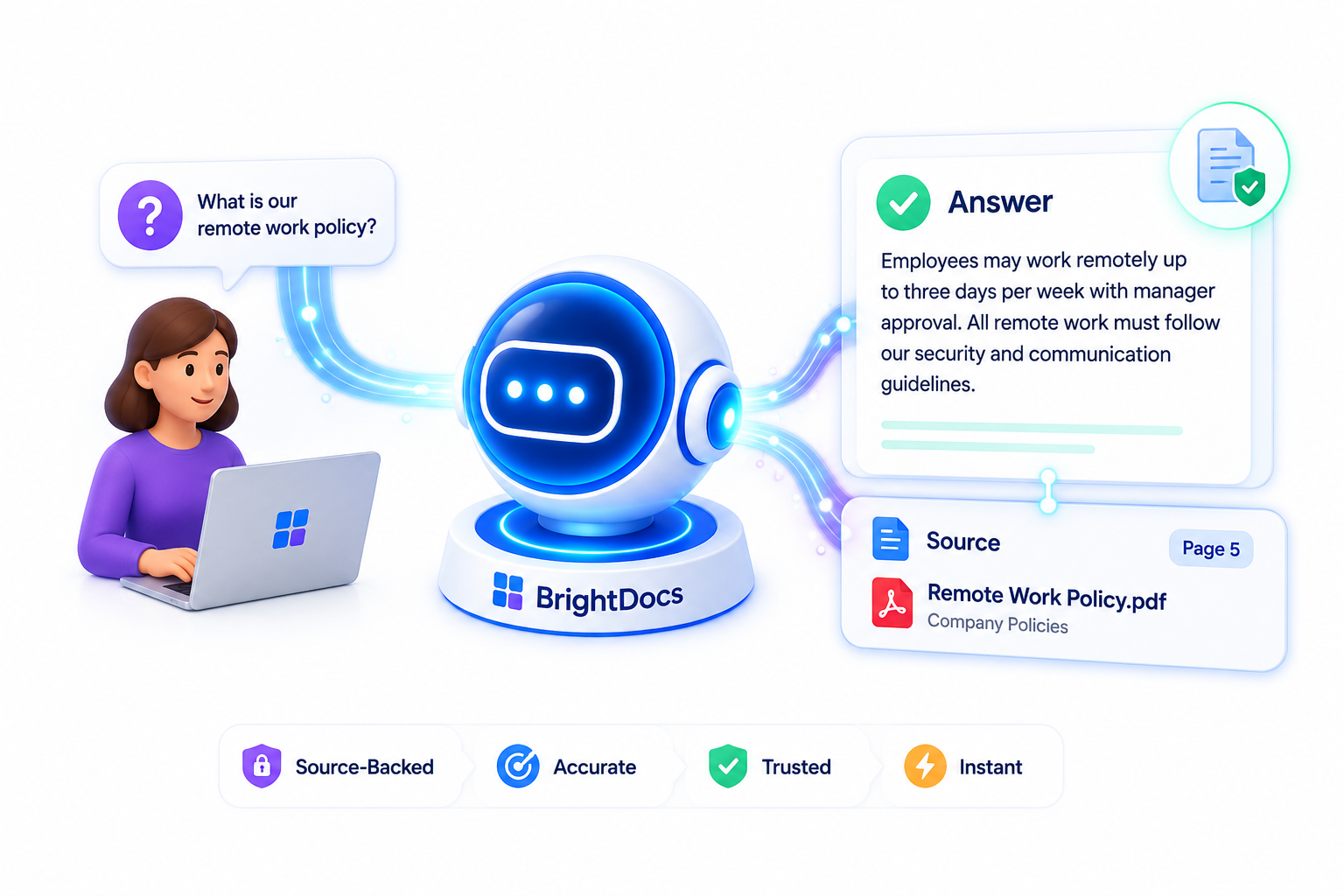
LEARN MORE
Questions About BrightDocs?
Start Here
Learn how BrightDocs turns your trusted business documents into an AI Knowledge Assistant. No technical expertise required!
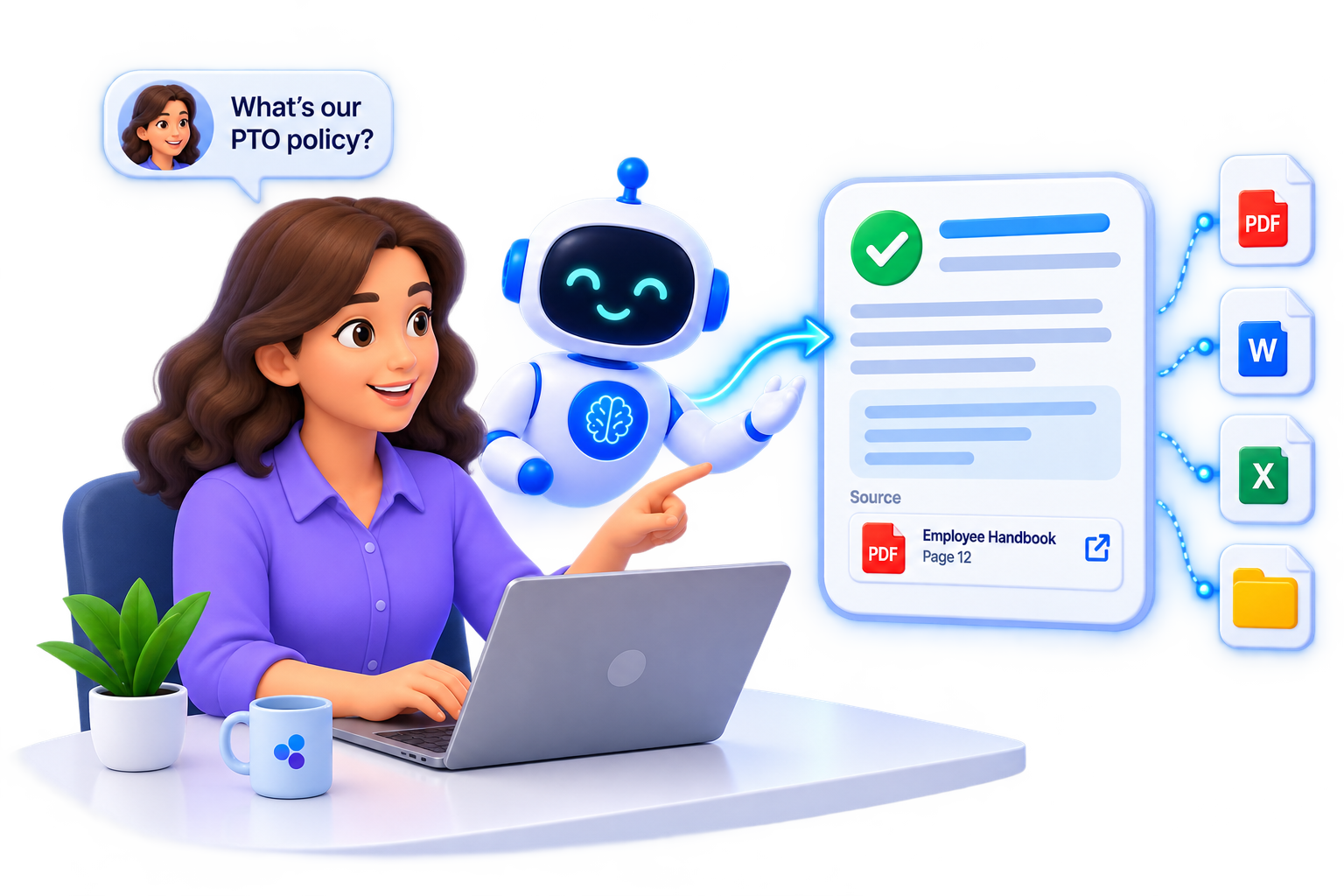
LEARN MORE
BrightDocs FAQs

We Copy And Organize Your Trusted Documents
We securely collect and prepare a copy of your documents

We Build Your
Knowledge Hub
AI indexes your content and creates your knowledge hub.

Your Team Asks Questions And Gets Sourced Answers
Employees get instant and accurate answer with citations.
Find Answers By Topics
Brightdocs
and AI
Documents and Sources
Answers and Accuracy
Security, Privacy, and Access
Set up and Training
Plans and Support
BrightDocs and AI
What exactly is BrightDocs?
Is BrightDocs like ChatGPT?
BrightDocs uses the same kind of conversational AI experience that makes ChatGPT so easy to use, but with one important difference: BrightDocs is built around your company’s knowledge.
Instead of searching the entire internet or relying primarily on general knowledge, your BrightDocs assistant searches your approved company documents to answer questions. Your team can ask questions in plain English and receive answers grounded in your policies, procedures, manuals, reports, and other trusted information – with citations showing exactly where the information came from.
Think of it as your company’s own private ChatGPT, trained on the information that matters to your business.
What is a Knowledge Hub?
A Knowledge Hub is the central home for the information your BrightDocs AI assistant uses to answer questions.
We take your approved documents – such as policies, procedures, training materials, manuals, reports, and other important company information – and organize them into a secure, searchable Knowledge Hub.
Instead of employees searching through different folders and files, they simply ask BrightDocs a question. The AI searches the Knowledge Hub, finds the most relevant information, and provides an answer along with citations to the original source.
Think of it as bringing your company’s scattered knowledge together in one place and making it instantly accessible through AI.
What can employees ask the assistant?
Employees can ask BrightDocs about almost anything contained in your company’s approved knowledge.
For example, they might ask about company policies, procedures, training materials, product information, customer processes, safety guidelines, benefits, or how to complete a specific task.
Questions can be as simple as “What is our vacation policy?” or more specific, such as “What steps should I follow when a customer requests a refund?”
Instead of figuring out which document contains the answer, employees simply ask the question. BrightDocs searches your company’s Knowledge Hub and provides a clear answer based on the most relevant information it finds.
How is this different than searching our files?
Traditional file search helps you find documents. BrightDocs helps you find answers.
With a normal search, employees need to know what to search for, locate the right file, open it, and read through it to find the information they need. BrightDocs does that work for them.
Employees simply ask a question in everyday language. BrightDocs searches across your Knowledge Hub, finds the most relevant information, and provides a clear answer with citations back to the original sources.
Instead of “Where is the document that has the answer?”, the experience becomes “Just ask the question.”
Documents &
Knowledge Sources
Are you moving my documents or just copying them?
No. Your original documents stay right where they are.
BrightDocs works with copies of the documents you approve for use. We prepare and add that information to your secure Knowledge Hub so your AI assistant can use it to answer questions.
Your original files remain in your existing folders, drives, or document systems. BrightDocs does not replace the way your company stores or manages its documents.
Think of your Knowledge Hub as an AI-ready layer built from your approved company information, while your original documents remain safely in place.
What kind of documents can we use with BrightDocs?
BrightDocs can work with most of the documents your business already uses every day.
This includes PDFs, Word documents, Excel spreadsheets, PowerPoint presentations, Google Docs, policies and procedures, employee handbooks, training materials, manuals, reports, and other internal documentation. We can also work with information from sources such as Google Drive, websites, Notion, and SharePoint as your BrightDocs setup expands.
Before anything is added to your Knowledge Hub, you decide which information is approved for use. BrightDocs then prepares and organizes that content so your AI assistant can find and use it effectively.
How does BrightDocs keep our documents up-to-date?
Your business changes, and your Knowledge Hub should change with it.
When policies, procedures, manuals, or other important documents are updated, BrightDocs helps make sure those changes are reflected in your AI assistant. New and updated documents are added, outdated information is removed, and we verify that everything has been processed correctly.
BrightDocs also provides ongoing maintenance and quality monitoring to help keep your assistant accurate and reliable over time.
The goal is simple: when your company’s knowledge changes, your BrightDocs assistant changes with it.
Can we connect Brightdocs to our cloud storage?
Yes. BrightDocs can connect to popular cloud storage and document platforms such as Google Drive, Microsoft SharePoint, Notion, and other supported systems.
This allows approved company information to be brought into your BrightDocs Knowledge Hub without changing where your team normally stores and manages its files.
Depending on your BrightDocs plan and setup, updates can also be synchronized from connected sources, helping keep your Knowledge Hub current as your company’s information changes.
Your existing systems remain the home for your documents. BrightDocs makes the knowledge inside them easier to access and use.
Answers and Accuracy
How does BrightDocs ensure answers are correct?
BrightDocs is designed to provide answers based on your company’s approved information, rather than simply allowing the AI to guess.
When an employee asks a question, BrightDocs searches your Knowledge Hub for the most relevant information and uses those trusted sources to create the answer. Supporting citations are included so employees can see where the information came from and refer back to the original document when needed.
Before your assistant is launched, BrightDocs also tests its responses for accuracy, retrieval quality, and citation quality. We continue monitoring and tuning the system as part of ongoing maintenance.
AI can still make mistakes, but our goal is to make answers grounded, transparent, and easy to verify.
Where do the answers come from?
BrightDocs answers come from the company information you have approved for your Knowledge Hub.
When an employee asks a question, BrightDocs searches across your approved documents, finds the most relevant information, and uses it to create a clear, easy-to-understand response.
Answers can draw from information across multiple documents, so employees do not need to know which file contains what they are looking for. BrightDocs also provides citations that point back to the original sources, making it easy to see where an answer came from and verify the information.
Will BrightDocs only use our approved content?
Yes. You control what information BrightDocs is allowed to use.
Only documents and information your organization has approved are added to your Knowledge Hub. Drafts, outdated files, confidential materials, or other content you do not want included can be left out.
This gives your organization control over the knowledge your AI assistant relies on. As information changes, approved documents can be added, updated, or removed so the Knowledge Hub continues to reflect the information you want employees to use.
Your company decides what BrightDocs knows.
Can employees see the sources of an answer?
Yes. BrightDocs provides source citations with supported answers, so employees can see where the information came from.
When BrightDocs answers a question, it can point employees back to the original documents used to create the response. This makes it easy to verify important information or explore the source in more detail.
Instead of asking employees to simply trust an AI-generated answer, BrightDocs gives them a way to see the source behind it.
Security, Privacy,
and Access
Is BrightDocs secure?
Yes. Keeping your company’s information private and protected is a core part of how BrightDocs is designed.
Your Knowledge Hub is built using only the information your organization approves, and access to your BrightDocs assistant is limited to authorized users.
BrightDocs also separates each customer’s environment so your company’s information is not shared with other BrightDocs customers.
We combine secure technology with carefully managed access and ongoing system maintenance to help protect your company’s knowledge while still making it easy for your employees to use.
Where are the copies of our documents being stored?
BrightDocs creates secure, AI-ready copies of your approved documents and stores them within your company’s private Knowledge Hub.
Your original documents remain in your existing folders, cloud storage, or document systems. The copies stored in BrightDocs are processed and organized so your AI assistant can quickly find the right information when employees ask questions.
Each customer’s Knowledge Hub is kept separate from other BrightDocs customers, and access is limited to authorized users.
Your original files stay with you. BrightDocs securely manages the AI-ready copies used by your assistant.
Who can access our documents?
Access to your BrightDocs Knowledge Hub is limited to authorized users from your organization and BrightDocs personnel who need access to provide and maintain the service.
Your company controls who is given access to the assistant, and each BrightDocs customer’s environment is kept separate from other customers.
BrightDocs may need limited access to approved content for tasks such as document processing, testing, troubleshooting, and ongoing maintenance. That access is used only to provide and support your BrightDocs service.
Your company’s knowledge remains private and is never shared with other BrightDocs customers.
Does BrightDocs use our documents to train AI models?
No. Your company’s documents are used to power your BrightDocs Knowledge Hub and provide answers to your authorized users.
They are not used by BrightDocs to train a general AI model or to improve an AI model for other customers.
Your documents remain your company’s information and are used only to provide and maintain your BrightDocs service.
Your knowledge stays your knowledge.
Set up and Training
What happens after we choose a plan?
Once you choose a BrightDocs plan, we guide you through the entire setup process.
We start by learning what information you want your employees to access and identifying the documents and knowledge sources that should be included.
From there, BrightDocs prepares and organizes your approved content, builds your Knowledge Hub, configures your AI assistant, and thoroughly tests the system before launch.
Once everything is ready, we help introduce BrightDocs to your team and show employees how to start using their new knowledge assistant.
How long does setup take?
Most BrightDocs implementations are designed to be completed in approximately 3 to 5 weeks from project kickoff.
The exact timeline depends on factors such as the number of documents, their condition, and the complexity of your Knowledge Hub.
BrightDocs handles the technical work, including preparing your documents, configuring the Knowledge Hub, building your assistant, and testing its answers before launch.
Our goal is to get your company up and running quickly without creating a complicated technology project for your team.
What does our company need to provide?
Getting started is intentionally simple.
Your company primarily needs to provide the documents and information you want BrightDocs to know, along with access to any approved knowledge sources included in your plan.
We may also ask you to identify which information is current, which documents should be excluded, and who should have access to the finished assistant.
BrightDocs handles the technical work of preparing, organizing, processing, and configuring that information for your Knowledge Hub.
You provide the knowledge. We handle the AI.
Do you train our employees?
Yes. Employee training is included as part of your BrightDocs launch.
Fortunately, there is not much to learn. BrightDocs is designed to feel familiar and conversational. Employees simply type a question in everyday language, much like they would ask a knowledgeable coworker.
We show your team how to ask effective questions, understand the answers, use source citations, and get the most value from their new knowledge assistant.
No AI experience or technical training is required.
Who manages the system after launch?
BrightDocs does.
BrightDocs is a managed service, so your company does not need an AI expert or technical employee to maintain the system.
After launch, we continue managing your Knowledge Hub, including adding and removing approved documents, monitoring answer quality, verifying that information is processed correctly, and tuning the system when needed.
Your team can focus on using BrightDocs while we take care of the technology behind it.
Plans and Support
Which plan is right for our company?
The right BrightDocs plan depends on how much company knowledge you want to make accessible and how you want to use it.
Some organizations simply need a reliable AI assistant that can answer questions from their approved documents. Others want to connect knowledge from multiple business systems or eventually use AI to uncover relationships, trends, and insights across their organization.
We can help you evaluate your document volume, number of users, knowledge sources, and business goals to determine which plan makes the most sense.
You can start with what you need today and expand as your needs grow.
Are there setup fees?
Yes. BrightDocs charges a one-time implementation fee to build and launch your company’s Knowledge Hub and AI assistant.
The implementation includes preparing and organizing your approved documents, configuring your Knowledge Hub, setting up your assistant, testing and optimizing its responses, and preparing the system for your team.
The exact setup fee depends on the BrightDocs plan you select and the size and complexity of your implementation.
After setup, your monthly subscription covers the ongoing BrightDocs service and maintenance.
Can we change plans later?
Yes. BrightDocs is designed to grow with your company.
You can start with the plan that fits your needs today and move to another plan as your document collection, number of users, knowledge sources, or AI needs change.
For example, you might begin with a Knowledge Hub built around your approved documents and later connect additional business systems or add more advanced knowledge capabilities.
We can help you determine when moving to another plan would provide meaningful value to your organization.
What is included in monthly maintenance?
Monthly maintenance helps keep your BrightDocs assistant current, accurate, and useful over time.
Depending on your plan, BrightDocs can manage new and updated documents, remove outdated content, verify successful processing, monitor answer quality, test retrieval and citations, tune the system, and provide usage reporting.
We also provide ongoing support when questions or issues arise.
Your Knowledge Hub is not something we simply build and leave behind. BrightDocs continues to help manage and maintain it after launch.
What support does BrightDocs provide?
BrightDocs combines AI technology with real human support.
We help during setup, train your team, answer questions, troubleshoot issues, and continue supporting your Knowledge Hub after launch. We also monitor and maintain the system so your company does not need its own AI specialist to keep everything running.
Support levels may vary by plan, but one thing does not: when you need help, you are working with BrightDocs, not simply being handed off to an automated support bot.
Your Documents Already Have the Answers
BrightDocs turns them into a secure, searchable Knowledge Hub your employees can simply ask.